
Foil Stamp Business Cards
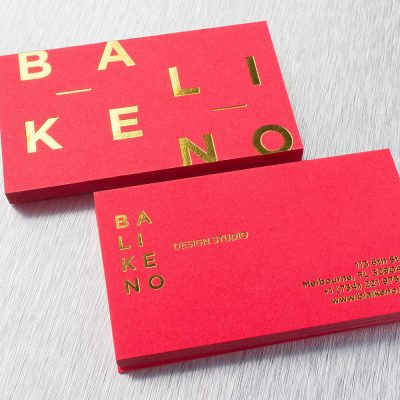
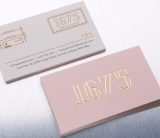
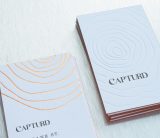
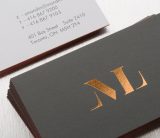
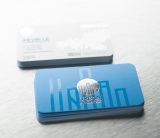
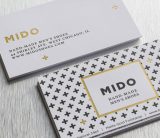
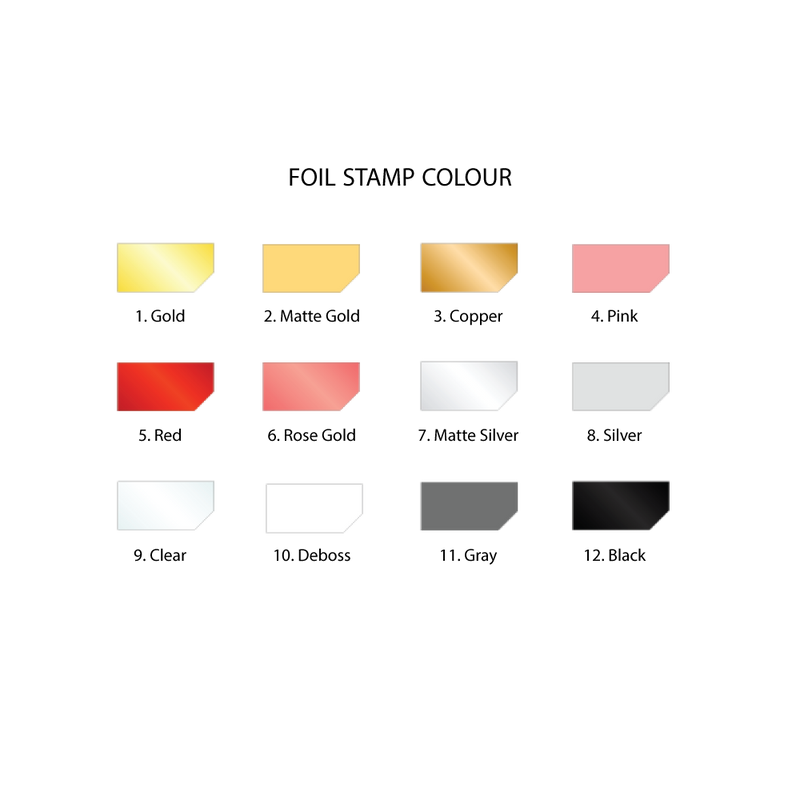
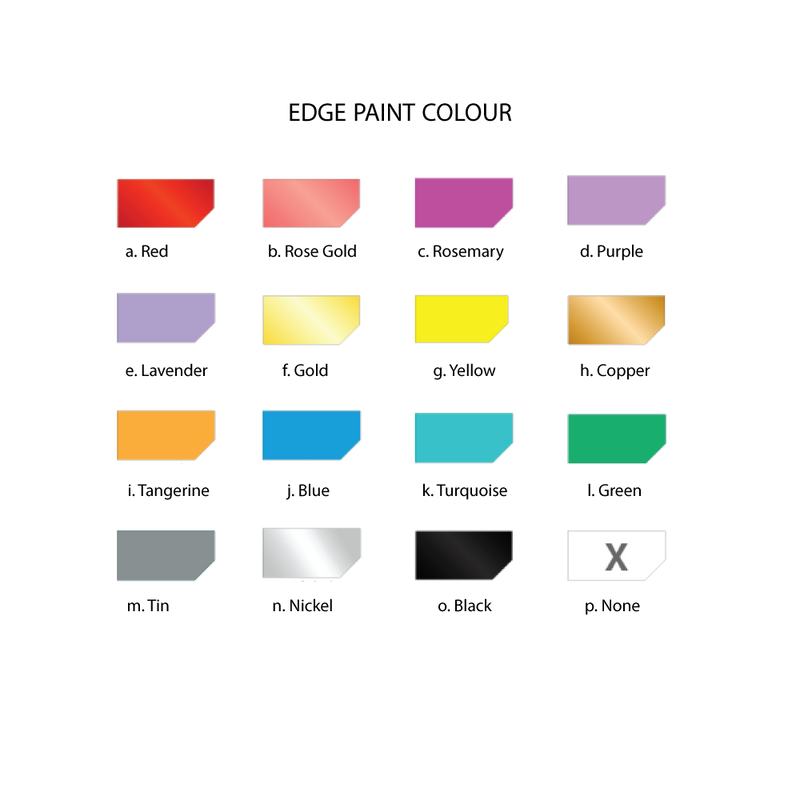
Few options give a card a more classy feel than Foil Stamping. When paired with a complimentary color for the edge, the results can be stunning, granting an air of royalty to the whole card. Add on some of our premium finishes to provide an extra level of style to your business card.





Size Options
We offer our business cards in various sizes to choose from!

Standard
3.5"x2" |

Square
2.25"x2.25" |
 
Mini
3.5"x1.5" |

European
3.3"x2.1" |
Finishing Options
Choose from our various finish options to give your cards more character

Rounded Corners

Lamination


How to setup your file for Foil, Letterpress, Spot UV in Illustrator
How to set up a file correctly for Foil, Letterpress, Spot UV printing in Photoshop
Design Support
We offer a variety of design support services ranging from,
simple text information updates, to designing logos to help jumpstart your brand.

Q : WHAT ARE YOUR METHODS OF PAYMENT?
We accept Visa, Mastercard, American Express, and Paypal.

Q: WILL MY PAYMENT INFORMATION BE SECURE?
We take reasonable steps to ensure your personal information is protected from risks such as loss, unauthorized access, modification or disclosure. If you are worried about the payment security, we recommend you make payment through PayPal, one of the most well respected and extremely reliable payment solutions on the web.
Q : DO YOU HAVE A CUSTOMER LOYALTY PROGRAM I CAN SIGN UP FOR?
Yes, we do! Ordering large quantities and being a loyal customer may make you eligible for a Business Account with Blitz. Make sure to contact us regarding your interest in being partners with Blitz Print House, and we can speak with you regarding how having an account with us can benefit you!
Q : CAN I EXPECT TO RECEIVE THE SAME COLOUR QUALITY IN MY ORDER AS I SEE IT ON MY COMPUTER SCREEN?
Q : HOW WILL THE QUALITY OF MY ORDER BE AFFECTED IF I GET THEM AS A RUSH?
Make sure to double-check everything prior to sending the file for Rush orders, and we will be sure to provide you with the best.
Q : I’M HAVING TROUBLE UPLOADING MY FILES!
Q : I’M NOT SURE HOW TO PREP MY FILES BEFORE PRINTING, WHAT SHOULD I DO?
Q : THE TEMPLATE PREVIEW IS SHOWING AN IMAGE SLIGHTLY DIFFERENT THAN THE ONE I CREATED.
Q : I ORDERED MY CARDS WITH YOU 2 YEARS AGO, WILL YOU HAVE ACCESS TO MY FILES FROM THEN TO PRINT NOW?
Q : WHAT ORDERS CAN I ROUND THE EDGES FOR, AND HOW BIG IN DIAMETER ARE THE CUTS?
All our products that are printed on cardstock can be rounded, except our 32pt. Black Edge Uncoated.
Our rounded edges are 1/8” in diameter.
DESIGN GUIDELINE
We also offer Blank Templates for you to place your files and check to see if they comply with our Design Guidelines.
TIP 1 – SIZE
Please submit the files at the correct size as the product you are ordering. For example, if you ordered a 3.5″ x 2″ business card, submit a 3.5″ x 2″ image.
If you artwork has a bleed (see Tip 3), the file should be 0.25″ taller and 0.25″ wider than the product specs, for example the file for a 3.5″ x 2″ business card with bleed should be 3.75″ x 2.25″.
Do not send them on a larger artboard. For example don’t put a 3.5″ x 2″ business card design on a 8.5″ x 11″ page.
Do not put two images on the same page, keep in separate pages.

TIP 2 – SAFE AREA
The “safe area” is defined as the space that is at least 0.125″ away from the edge on all sides inwards.
This area is where your important content should go. Make sure any text or sensitive information is contained in the area, otherwise there is a possibility of it being too close to the edge or risk of being trimmed off.
Please have the safe area be at least 0.125″ away from the edge on all sides

TIP 3 – BLEED AREA
The “bleed area” is defined as the area that is at least 0.125″ away from the trim line outwards.
This area is where you should extend your background colour/image to. It provides extra graphic so that when we trim, the background will fully extend to the edges without any white space. Note that everything in this area and beyond will be trimmed away.
For example: if you are ordering a 3.5″ x 2″ business card with a background, you must submit a 3.75″ x 2.25″ file with the background extended to all the edge on all sides.
If you have elements that extend to the edge or past it, you need to include a bleed.
If you have a blank/white background, you may ignore this tip.

TIP 4 – RESOLUTION
When supplying files, please ensure they have enough resolution for a high quality print.
If you designed your image in a vector program, such as Illustrator, and exported the image as a PDF, you may ignore this tip as vector images have infinite scalability and is exempt from resolution issues.
If you designed your image in a raster program, such as Photoshop, make sure your resolution is set to 300dpi and text layers are not merged.

TIP 5 – BORDER
We do not recommend having a border around the edge as even the slightest trimming imperfections will make the product look off-centred.
If a border must be included, we recommend making it as thick as possible and no less than 0.25″ thick.

BUSINESS CARDS
| Sizes | Illustrator Template | Photoshop | |
|---|---|---|---|
| Standard Size | 3.5" x 2" | 3.5" x 2" | 3.5" x 2" |
| Mini Card | 3.5" x 1.5" | 3.5" x 1.5" | 3.5" x 1.5" |
| Square Card | 2.25" x 2.25" | 2.25" x 2.25" | 2.25" x 2.25" |
| European Card | 3.3" x 2.1" | 3.3" x 2.1" | 3.3" x 2.1" |
Size Options
We offer our business cards in various sizes to choose from!
|
Standard
3.5"x2" |
Square
2.25"x2.25" |
Mini
3.5"x1.5" |
European
3.3"x2.1" |
Finishing Options
Choose from our various finish options to give your cards more character
Rounded Corners
Lamination
How to setup your file for Foil, Letterpress, Spot UV in Illustrator
How to set up a file correctly for Foil, Letterpress, Spot UV printing in Photoshop
Design Support
We offer a variety of design support services ranging from,
simple text information updates, to designing logos to help jumpstart your brand.
Q : WHAT ARE YOUR METHODS OF PAYMENT?
We accept Visa, Mastercard, American Express, and Paypal.
Q: WILL MY PAYMENT INFORMATION BE SECURE?
We take reasonable steps to ensure your personal information is protected from risks such as loss, unauthorized access, modification or disclosure. If you are worried about the payment security, we recommend you make payment through PayPal, one of the most well respected and extremely reliable payment solutions on the web.
Q : DO YOU HAVE A CUSTOMER LOYALTY PROGRAM I CAN SIGN UP FOR?
Yes, we do! Ordering large quantities and being a loyal customer may make you eligible for a Business Account with Blitz. Make sure to contact us regarding your interest in being partners with Blitz Print House, and we can speak with you regarding how having an account with us can benefit you!
Q : CAN I EXPECT TO RECEIVE THE SAME COLOUR QUALITY IN MY ORDER AS I SEE IT ON MY COMPUTER SCREEN?
Q : HOW WILL THE QUALITY OF MY ORDER BE AFFECTED IF I GET THEM AS A RUSH?
Make sure to double-check everything prior to sending the file for Rush orders, and we will be sure to provide you with the best.
Q : I’M HAVING TROUBLE UPLOADING MY FILES!
Q : I’M NOT SURE HOW TO PREP MY FILES BEFORE PRINTING, WHAT SHOULD I DO?
Q : THE TEMPLATE PREVIEW IS SHOWING AN IMAGE SLIGHTLY DIFFERENT THAN THE ONE I CREATED.
Q : I ORDERED MY CARDS WITH YOU 2 YEARS AGO, WILL YOU HAVE ACCESS TO MY FILES FROM THEN TO PRINT NOW?
Q : WHAT ORDERS CAN I ROUND THE EDGES FOR, AND HOW BIG IN DIAMETER ARE THE CUTS?
All our products that are printed on cardstock can be rounded, except our 32pt. Black Edge Uncoated.
Our rounded edges are 1/8” in diameter.
DESIGN GUIDELINE
We also offer Blank Templates for you to place your files and check to see if they comply with our Design Guidelines.
TIP 1 – SIZE
Please submit the files at the correct size as the product you are ordering. For example, if you ordered a 3.5″ x 2″ business card, submit a 3.5″ x 2″ image.
If you artwork has a bleed (see Tip 3), the file should be 0.25″ taller and 0.25″ wider than the product specs, for example the file for a 3.5″ x 2″ business card with bleed should be 3.75″ x 2.25″.
Do not send them on a larger artboard. For example don’t put a 3.5″ x 2″ business card design on a 8.5″ x 11″ page.
Do not put two images on the same page, keep in separate pages.
TIP 2 – SAFE AREA
The “safe area” is defined as the space that is at least 0.125″ away from the edge on all sides inwards.
This area is where your important content should go. Make sure any text or sensitive information is contained in the area, otherwise there is a possibility of it being too close to the edge or risk of being trimmed off.
Please have the safe area be at least 0.125″ away from the edge on all sides
TIP 3 – BLEED AREA
The “bleed area” is defined as the area that is at least 0.125″ away from the trim line outwards.
This area is where you should extend your background colour/image to. It provides extra graphic so that when we trim, the background will fully extend to the edges without any white space. Note that everything in this area and beyond will be trimmed away.
For example: if you are ordering a 3.5″ x 2″ business card with a background, you must submit a 3.75″ x 2.25″ file with the background extended to all the edge on all sides.
If you have elements that extend to the edge or past it, you need to include a bleed.
If you have a blank/white background, you may ignore this tip.
TIP 4 – RESOLUTION
When supplying files, please ensure they have enough resolution for a high quality print.
If you designed your image in a vector program, such as Illustrator, and exported the image as a PDF, you may ignore this tip as vector images have infinite scalability and is exempt from resolution issues.
If you designed your image in a raster program, such as Photoshop, make sure your resolution is set to 300dpi and text layers are not merged.
TIP 5 – BORDER
We do not recommend having a border around the edge as even the slightest trimming imperfections will make the product look off-centred.
If a border must be included, we recommend making it as thick as possible and no less than 0.25″ thick.
BUSINESS CARDS
| Sizes | Illustrator Template | Photoshop | |
|---|---|---|---|
| Standard Size | 3.5" x 2" | 3.5" x 2" | 3.5" x 2" |
| Mini Card | 3.5" x 1.5" | 3.5" x 1.5" | 3.5" x 1.5" |
| Square Card | 2.25" x 2.25" | 2.25" x 2.25" | 2.25" x 2.25" |
| European Card | 3.3" x 2.1" | 3.3" x 2.1" | 3.3" x 2.1" |

